
Start
One desktop workspace, four distinct responsibilities.
Gimmer keeps strategy design, historical evidence, execution, and operational monitoring connected without treating them as the same thing.
Design
Create a strategy from a supported decision engine. Current releases expose AI Decision, Indicators, Code Editor, Swing, and Portfolio. Where supported, Spot or Margin is selected as the execution mode instead of being a separate decision engine.
Keep the first version intentionally small. A narrow strategy is easier to backtest, observe, and diagnose than a large configuration with many interacting rules.
Test and optimize
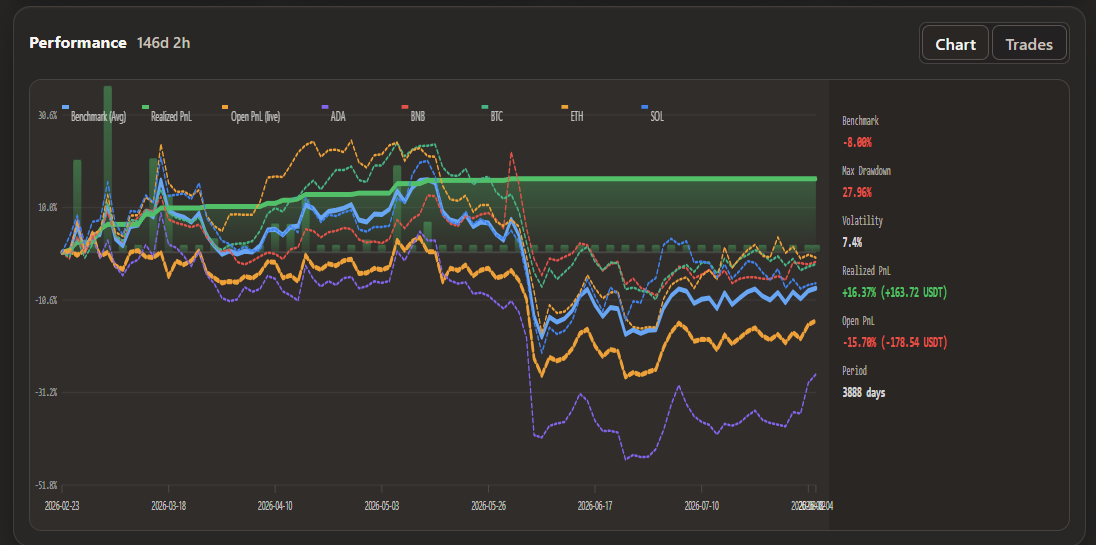
Backtests replay historical candles through the strategy. Reports include performance, drawdown, open PnL, trades, and orders. Optimization evaluates multiple parameter candidates, but a high-ranked historical result is still evidence about the past, not a promise about the future.
Execute
Simulation processes current market data without intentionally placing real-money orders. Live mode can submit orders through a connected exchange or supported wallet path. The strategy produces a decision; the execution layer applies sizing, balances, permissions, and order rules.
Separate decision from execution
A correct buy, sell, long, or short signal can still fail to execute because of balance, minimum order size, API permission, allowance, nonce, liquidity, slippage, network, or exchange errors.
Observe
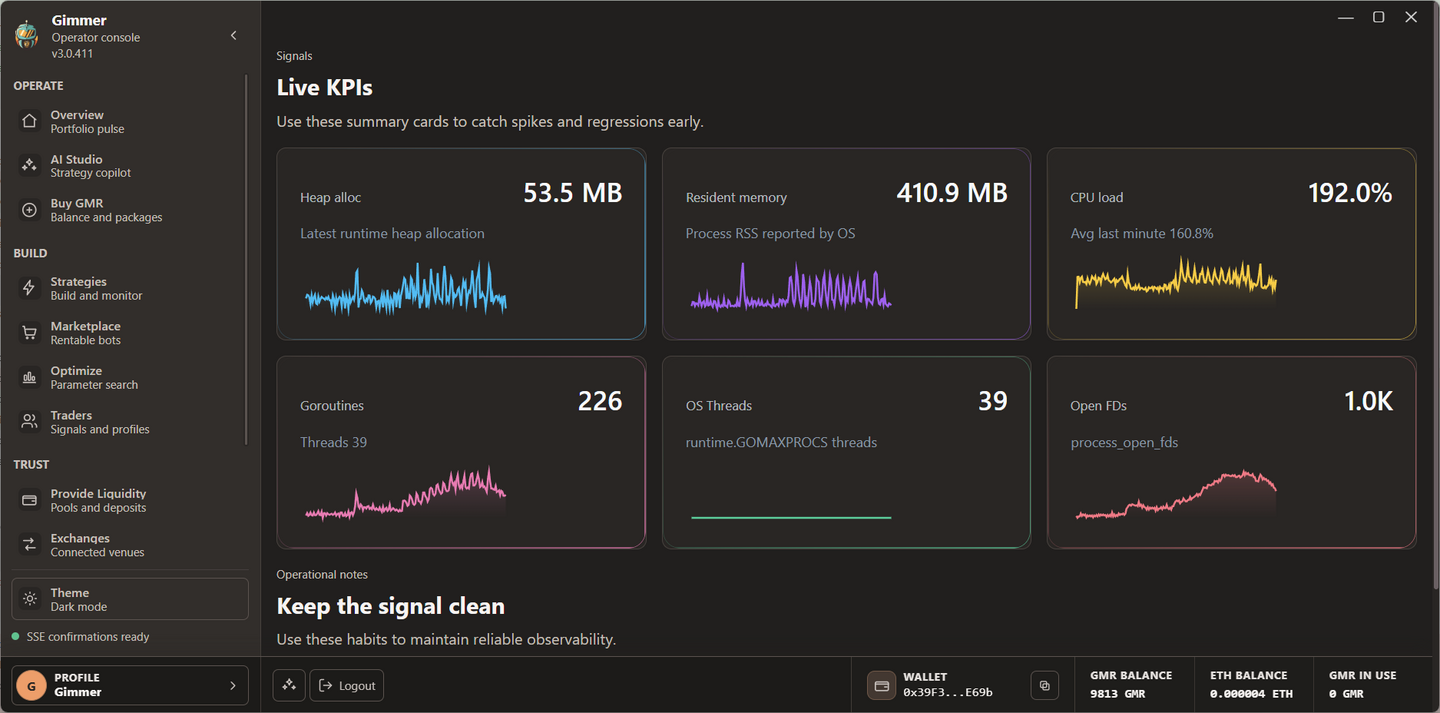
Runtime activity shows candle evaluations and decisions. Positions separate open and closed exposure. Order details preserve execution attempts and failure reasons. Observability and runtime health help identify stalled connections or strategies that have not evaluated an expected candle.
For an operating strategy, the absence of a trade can be normal. The absence of an expected candle evaluation needs attention.
Navigate the app
- Operate
- Overview, AI Studio, and Buy GMR.
- Build
- Strategies, Marketplace, Optimize, and Traders.
- Trust
- Provide Liquidity, Exchanges, AI Runtimes, Learning, and Observability.
Availability can depend on the current release, connected services, account role, and published strategy catalog.