
Product documentation
Operate Gimmer with a clear path from idea to execution.
Current guidance for installing the desktop app, connecting an exchange, designing a strategy, reviewing evidence, and keeping simulation or live operation healthy.
Choose where you are now
- First installation
- Follow the Quickstart from download through your first backtest and simulation.
- Building
- Use Create a strategy, review the relevant engine and risk controls, then use the Strategy Optimizer only when the strategy exposes bounded parameters.
- Operating
- Use Simulation and live operation to check candle processing, positions, order feedback, and recovery.
- Troubleshooting
- Preserve the exact error message and runtime time, then use Support. Do not repeatedly submit a failed live order until you understand the cause.
The operating sequence
- Prepare the local app. Install the current public release and protect the local account and wallet recovery material.
- Connect only what the strategy needs. Add a supported exchange connection with the narrowest permissions required for trading.
- Define the decision engine. Choose AI Decision, Indicators, Code Editor, Swing, or Portfolio, then select Spot or Margin execution where supported.
- Generate evidence. Backtest a meaningful period, use the Strategy Optimizer for controlled parameter comparisons when supported, inspect trades and drawdown, and run simulation before considering real funds.
- Operate and observe. Keep the app or configured runtime available, review Runtime activity, positions, orders, and connection health.
What Gimmer does and does not do
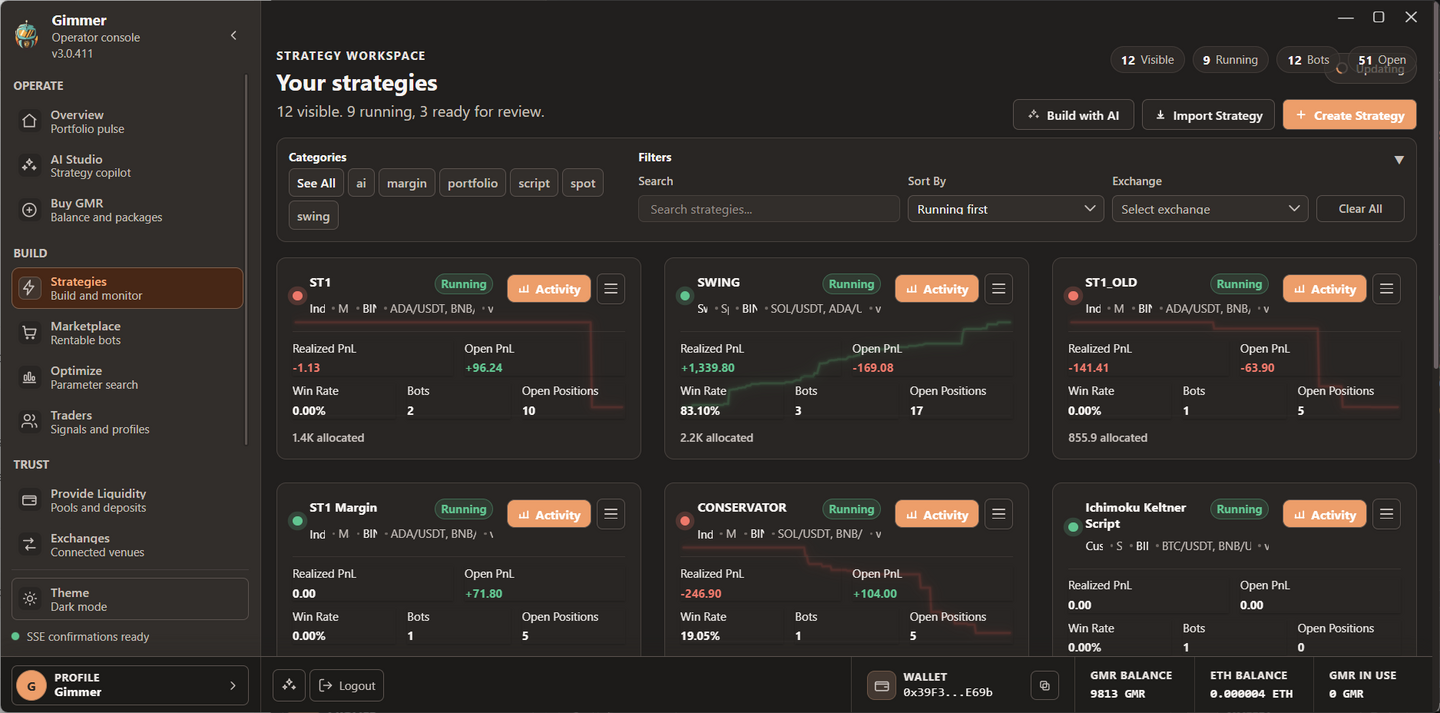
Gimmer is a desktop workspace for strategy design and automated execution. The app separates strategy decisions from order execution and keeps operational evidence visible through backtests, runtime activity, positions, and order status.
Trading risk
Automation can execute a bad configuration faster and more consistently. Backtests, optimization, simulation, stop loss settings, and other safeguards cannot guarantee a result or prevent every loss, outage, exchange failure, or market gap.
Documentation follows the current app
The strategy catalog documents only the five engines available in the current desktop release: AI Decision, Indicators, Code Editor, Swing, and Portfolio. Retired strategy types are not presented as buildable options.
When the interface differs from a guide, confirm that you are running the latest public release and use the labels shown in the app. Product availability shown inside Gimmer remains the source of truth.